Account Mapping (literally) for Go-To-Market Teams
Geographic context that turns your account data into territory strategy, not just another report.
Deal velocity
+40% faster
Stakeholders
All mapped
Planning Docs
Territory strategy
Trip Locations
Plan your visits
How It Works
Step 1: Upload Your Data
Bring in your target accounts, contacts, or any data with an address. It's fully customizable.
Step 2: Map It Out
Automatically visualize all your data on maps. Save and share views, build lists, and organize however you need.
Step 3: Build Your Plans
Build trips & custom routes, create planning documents, and coordinate all your territory activities in one place.
Step 4: Execute
Share plans, sync trips to your calendar, and open routes directly in your favorite apps. Turn planning into action.
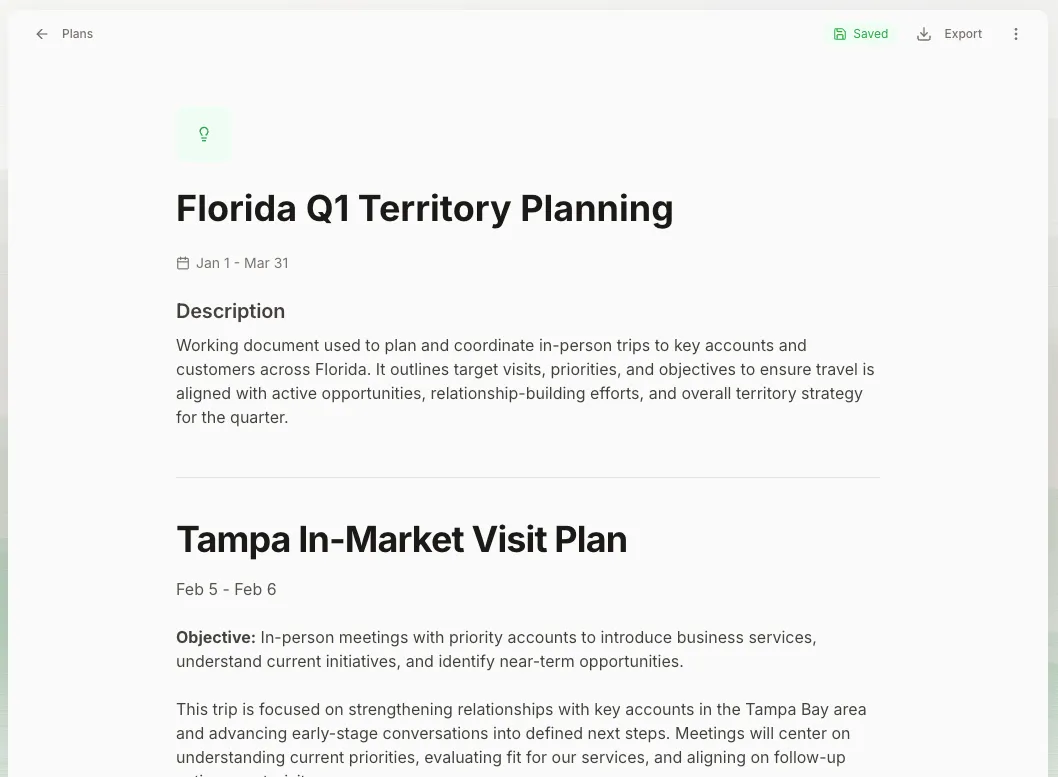
From Data to Strategy in Seconds
Direct integrations with Google Sheets and CRMs mean your account data flows automatically to visual maps with verified Geocoding to enrich your addresses.
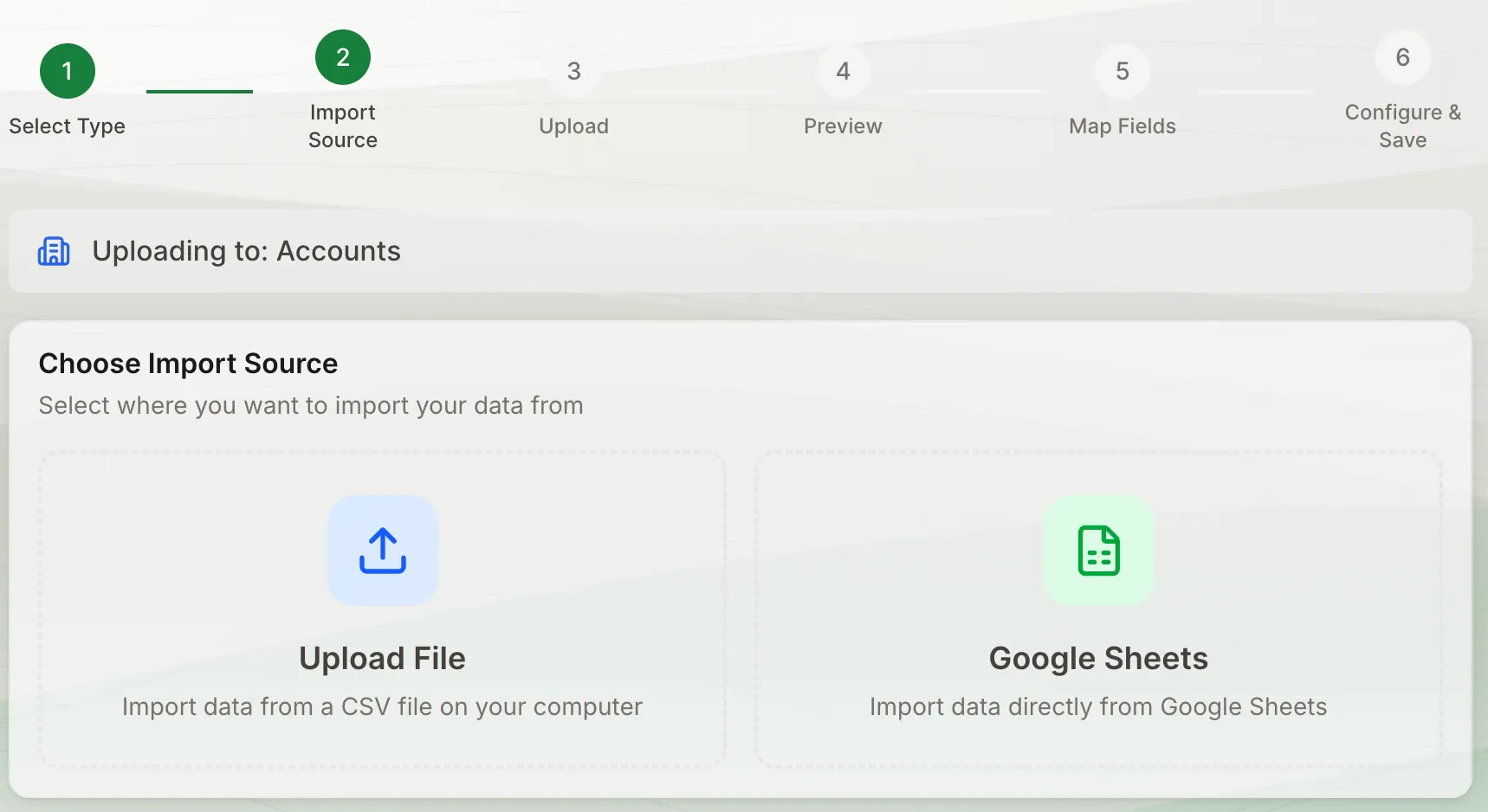
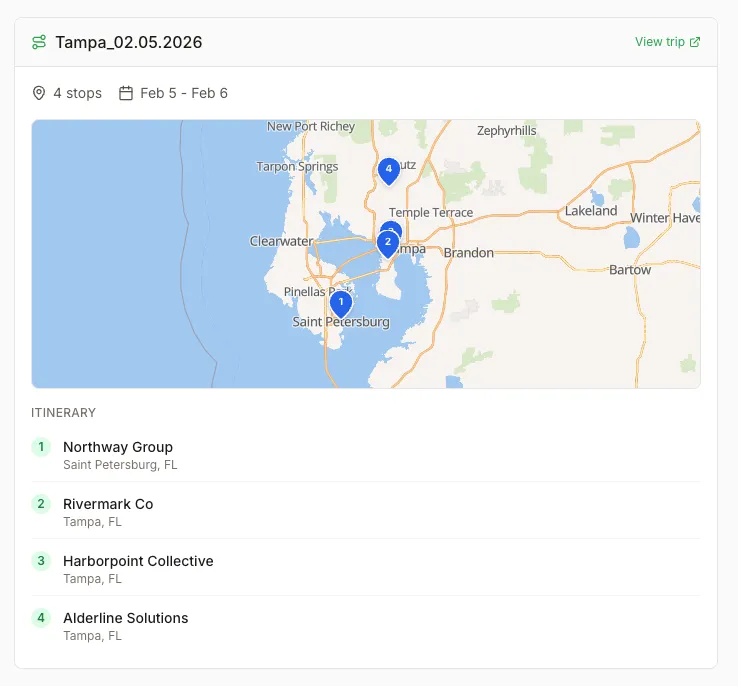
Turn Maps into Multi-Stop Routes
Turn clusters of accounts into efficient trip routes. Automatic optimization, calendar integration, and one-click navigation to get you there.
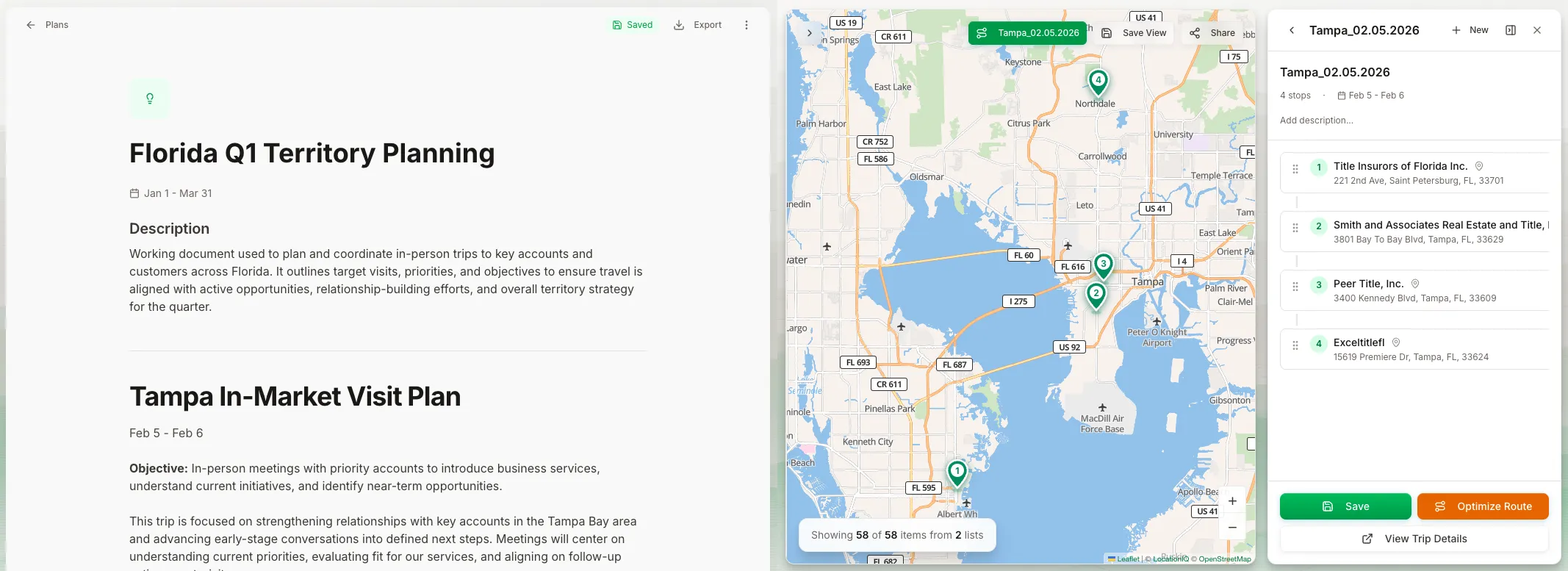
Plans That Link to Everything
Build strategy docs with embedded maps, linked trip plans, and connected lists. Your entire territory plan in one living document.
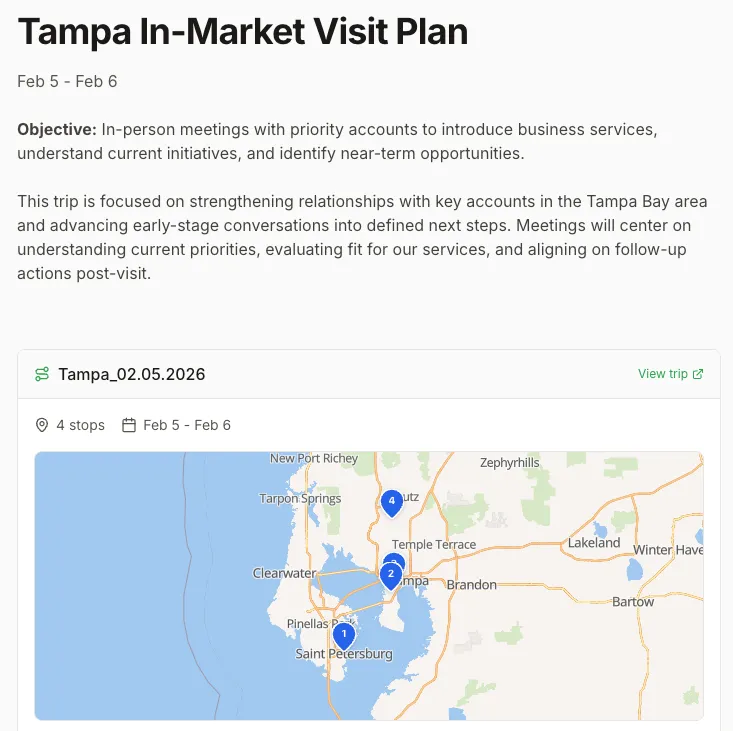
See the difference visual account mapping makes
Start mapping your key accounts today. No credit card required.
Built for Every Go-To-Market Role
Sales Reps
Visualize your book of business, plan multi-account trips, create territory strategies for QBRs, and see how prospects cluster near customers or upcoming events.
Sales Managers
See your entire team's territories on one map, identify coverage gaps, and plan coordinated plays in key markets.
Customer Success
Visualize customer health by geography, plan proactive check-in trips, spot expansion opportunities in key markets, and align in-person visits with renewal timelines.
Marketing Teams
See target accounts on a map, plan regional campaigns where density is highest, coordinate event strategy with sales territories, and identify gaps in marketing coverage.
Partner/Channel Teams
Map partner locations against prospect density, identify white space opportunities, plan joint territory strategies, and coordinate channel plays where partners have local presence.
Coordinated GTM
Visualize accounts, prospects, partners, and activities together, plan coordinated regional strategies, align team efforts geographically, and eliminate conflicts or gaps in coverage.
Features
Everything you need to understand and navigate complex B2B accounts.
Works With Your Tools
Upload CSVs, connect Google Sheets, integrate with HubSpot CRM, and export to Google/Apple Maps and Calendar.
Interactive Maps & Address Enrichment
Get verified, geocoded coordinates for every address. Build interactive maps with clustering and filters, then save and share views across your team.
Trip & Route Planning
Build multi-stop trips directly from your map. Automatic route optimization shows efficient travel order, drive times, and total distance.
Connected Planning Docs
Build planning documents with embedded maps and linked trips. Share territory strategies, account plans, or quarterly reviews with full geographic context.
Custom Object Support
Map any object with an address. Accounts, contacts, events, partners, locations, or custom objects you define. No limitations.
Built for Teams
Built for team collaboration. Share saved views, coordinate on trip plans, collaborate on documents, and maintain visibility across territories.
Account Map App by the numbers
Hundreds of sellers already planning more efficiently.
See the app in ~60 seconds
A quick walkthrough of mapping data, planning trips, and executing strategy.
Start mapping your accounts today
Turn location data into actionable plans. Start with our free plan, no credit card required.
Frequently Asked Questions
Everything you need to know about Account Map App.
What is Account Map App?
A visual account planning platform for sales, CS, marketing, and GTM teams. Upload your data, see it on maps, plan efficient trips, and build executable strategies, all with geographic context your spreadsheets and CRM can't provide.
What kind of data can I upload?
Anything with an address! Upload standard CRM objects like accounts and contacts, or create custom objects for events, ABM targets, partner locations, campaign data, venues, whatever you need. CSV imports and Google Sheets integration make it easy.
How does geocoding work?
Account Map App automatically geocodes addresses using verification services. Your addresses are enriched with verified coordinates, accuracy ratings, and standardized formatting for reliable mapping. If nothing matches or there is an issue, we'll let you know what to go look at!
Can I share maps with my team?
Yes! Save custom map views and share them with your team. Everyone can access shared views, lists, and planning documents within your workspace for full visibility and collaboration.
Is there a free trial/free plan?
Yes! We offer a free plan with limited records to get started. Upgrade anytime to unlock unlimited records, advanced features, and team collaboration. No credit card required to start.
How is this different from my CRM?
Your CRM stores contact data in lists and tables. Account Map App adds the geographic layer, showing you WHERE your accounts are, not just WHO they are. We complement your CRM by adding visual territory planning, route optimization, and location-based strategy.
How is this different from Salesforce Maps / other tools?
Price, for starters. Salesforce Maps runs $100+ per user per month. We're designed for individuals and teams who need visual account planning without enterprise budgets. Plus, we focus on practical workflows, connect to where you already work (Google Sheets, Calendar, Maps) and actually plan what to do with your data, not just visualize it.
Have a question not answered here? Contact us